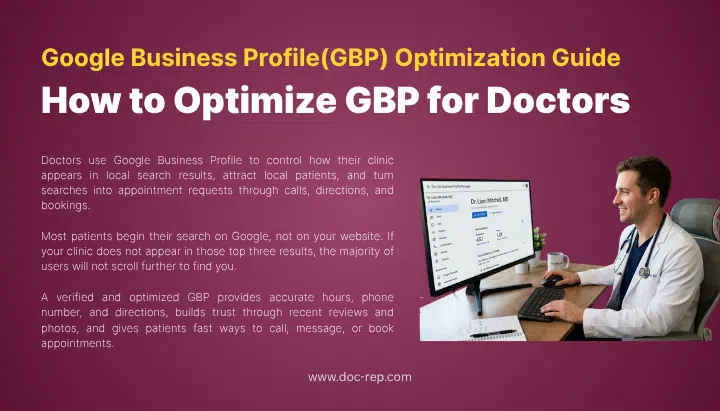
Doctors use Google Business Profile to control how their clinic appears in local search results, attract local patients, and turn searches into appointment requests through calls, directions, and bookings.
GBP also plays a direct role in local rankings. It determines whether your clinic appears in the Google local map pack, the top three listings shown for high-intent searches like “pediatrician near me” or “dermatologist in Fresno.”
Most patients begin their search on Google, not on your website. If your clinic does not appear in those top three results, the majority of users will not scroll further to find you.
A verified and optimized GBP provides accurate hours, phone number, and directions, builds trust through recent reviews and photos, and gives patients fast ways to call, message, or book appointments.
Below are 13 ways to optimize Google Business Profile (GBP) for Doctors so patients can find your practice when they need it most and turn local searches into new patient appointments.
1. Create or Claim Your Business Profile
Go to business.google.com and sign in with a Google account linked to your practice email. Search for your clinic name and address. Google often creates listings on its own from public data, so your practice may already be there.
If you find your listing, click “Claim this business.” If the listing is already claimed by someone else, Google will send an email to the current owner asking them to approve your request. Google hides most of that email for privacy, so you may need to reach the past manager or a former staff member to transfer ownership.
If no listing exists, click “Add your business to Google” and enter your details.
Verification in 2026
Google now defaults to video verification for most new medical listings. You record one continuous video showing:
- The outside of your clinic with signage
- A walk inside the clinic
- Proof that you manage the business, such as logging into your dashboard or showing a utility bill with the address
The video must run under two minutes and stay as one take. No stops, no cuts. Google reviews submissions within 24 to 72 hours, though it can take up to five business days.
Some practices still receive postcard verification, which arrives in 5 to 14 days with a five-digit code. The code expires after 30 days. Phone or email verification appears for a small group of profiles when Google already has matching data on file.
Common reasons verification fails:
- Stitched or edited video
- Blurry signage
- Claiming a commercial address while recording from a home
- Practice name with extra keywords like “Best Family Doctor Dallas”
Once verified, add a trusted staff member or your marketing partner as a manager so more than one person can handle updates.
2. Select the Right Business Category
Your primary category is the single strongest ranking factor in local search. It tells Google what your clinic fundamentally is. A 2026 Whitespark study placed the primary category above review count, proximity, and website authority for local pack rankings.
Google maintains roughly 4,039 categories as of March 2026, updated monthly. For doctors, choose the most specific category that fits your main work, not the broadest one.
Examples of specific vs. broad choices:
- Pick “Pediatrician” instead of “Doctor”
- Pick “Orthodontist” instead of “Dentist”
- Pick “Dermatologist” instead of “Skin Clinic”
- Pick “Endodontist” instead of “Dental Clinic”
You can add up to nine secondary categories. These should support your primary focus. A multi-specialty clinic might use “Medical Clinic” as primary with “Family Practice Physician,” “Pediatrician,” and “Gynecologist” as secondary.
A clinic lists the place (for example, “Urology Clinic”), while an individual doctor lists the profession (“Urologist”). If several doctors work at one address, the clinic gets one profile, and each public-facing doctor can have their own practitioner listing with their credentials in the name field (Dr., MD, DDS).
Avoid category dilution. Adding unrelated categories weakens your profile. A pediatric clinic adding “Pharmacy” as a secondary category will confuse Google’s algorithm and can lower rankings for core searches.
To change a category, go to your dashboard, click “Edit profile,” open the “About” tab, and update under “Business category.” Changes typically refresh within 24 to 48 hours.
3. Define Your Business Type
Google asks you to pick one of three business types during setup. Picking the wrong one in 2026 can suspend your listing or hide your address.
Storefront (physical location for patients) Your address shows publicly on Maps. Rankings depend on how close the searcher is to your clinic. Most private practices, hospitals, and clinics fall here.
Service-area business (you travel to patients) Your address stays hidden. You list up to 20 regions, cities, or ZIP codes you serve. This fits home-visit doctors, mobile vaccination services, and some hospice providers.
Hybrid (both) You show your clinic address and also define a service area. A doctor who sees patients at a clinic but also makes home visits fits this type.
Telemedicine rule: Google allows telehealth on your profile only if you also offer in-person care tied to a real address. A pure virtual clinic without any physical location does not qualify for a standard listing. If you offer both, turn on the “Online care” attribute and add a link to your virtual visit booking page.
4. Add Accurate Business Hours
Enter the exact hours your clinic accepts patients, not the hours staff are inside the building. If you close for lunch, split the hours (for example, 9 a.m. to 12 p.m., then 1 p.m. to 5 p.m.). Patients who show up during a lunch break and find a locked door often write negative reviews.
Update hours any time they change. Google treats hour changes as activity signals, and active profiles rank better than static ones.
5. Set Holiday Hours
Google prompts you before major holidays. Update these even if your hours stay the same. Marking a holiday as “open” or “closed” on the correct date prevents confused calls and missed appointments.
Use special hours for:
- National holidays
- Early-closing days before long weekends
- Staff training days when phones are covered but walk-ins stop
- Severe weather closures
One urgent care chain in Florida reported a 22% drop in wrong-day walk-ins after they started posting holiday hours the Monday before each federal holiday.
6. Include Complete Contact Details
Enter your phone, website, and address the exact same way they appear on your signage, website, and insurance directories. Google calls this NAP consistency, and mismatches hurt rankings.
A few specifics:
- Use a local landline when possible. Landlines show higher trust than cell numbers.
- Point your website link to a location-specific page if you have more than one office, not a generic homepage.
- Add a booking link if you use Zocdoc, Solv, or an EHR booking tool.
- Turn on Google Messaging only if a staff member can reply within 24 hours. Late replies lower your response rate and show poorly on your profile.
7. Upload High-Quality Photos
Photos on healthcare profiles drive more calls and direction requests than almost any other profile element. Clinics with fresh photos get more route requests on Maps and more website clicks.
Upload these at a minimum:
- Exterior shot showing your sign from the street (helps patients find your door)
- Interior shots of the waiting room and a sample exam room
- Team photo of providers and front-desk staff
- Photo of your logo
- One short video, 30 seconds or less, walking through the clinic
Avoid stock photos. Google’s image tools detect them, and patients can tell. Never upload a photo that shows a patient’s face, medical chart, or any identifying detail. Under HIPAA, this counts as a privacy breach even if the patient looks happy.
Refresh photos every quarter. Old photos signal an inactive profile.
8. List Services and Treatments
The services section lets you add specific procedures with short descriptions. Google uses these to match you against long-tail searches like “IUD placement” or “allergy patch testing.”
Write service names in plain English, the way patients say them. A mental health provider should list “anxiety treatment” and “depression therapy,” not “GAD-7 evaluation” or “SSRI medication management,” unless their patients actually search those terms.
Add attributes that apply to your clinic:
- Accepts new patients
- Accepts insurance
- Offers telemedicine
- Wheelchair accessible entrance
- On-site parking
- LGBTQ+ friendly
Only claim attributes that are true every day. If a single review contradicts an attribute, Google may strip it.
9. Encourage and Manage Reviews
Reviews are one of the top local ranking signals in 2026. Review recency, volume, and your response rate; all matter.
How to ask for reviews the right way:
- Send a text or email 24 to 48 hours after the visit with a direct Google review link
- Ask only satisfied patients, not everyone, but never filter based on score before asking
- Keep the message short: “If your visit went well, a quick Google review helps other patients find us.”
- Use a QR code at checkout that opens the review page
Never pay for reviews, offer discounts for reviews, or post fake reviews. Google detects patterns like bursts from the same IP and penalizes the whole listing. The dental practice fined $50,000 by the HHS Office for Civil Rights got caught after posting a defensive response that revealed patient details.
HIPAA-safe responses:
You can reply to reviews, but you cannot confirm anyone is or was a patient, even if they say so in their review. The safe pattern is to thank the person generically, speak about your practice policies, and move the conversation offline.
- Example of a safe reply to a 5-star review: “Thanks for the kind feedback. We work hard to give every person who visits our office a good experience. We appreciate you taking the time to share.”
- Example of a safe reply to a 1-star review: “We take all feedback seriously and want to understand what happened. Please call our office manager at (phone) so we can discuss your concerns directly.”
Do not use the reviewer’s name. Do not mention any medical detail, even if the review does. Never say “I remember your visit” or “Your shoulder surgery went well.” These confirm PHI.
If a review contains false claims, flag it to Google first. Never argue in the reply thread.
10. Answer Patient Questions
Anyone can post a question on your profile, and anyone can answer, including random users who may be wrong. If you don’t watch this section, incorrect answers can appear in search results.
Do two things:
- Turn on email alerts for new questions so you see them the day they post
- Seed your own Q&A by posting common questions and answering them yourself
Example Q&A to post:
- “Do you accept Medicare?” → “Yes, we accept Medicare and most major insurance plans. Call us to confirm your specific coverage.”
- “Are you accepting new patients?” → “Yes, we are currently accepting new patients. Please call or book online.”
- “Do you offer evening appointments?” → “We offer appointments until 7 p.m. on Tuesdays and Thursdays.”
Check the Q&A section weekly. Edit or flag any public answer that gives wrong information.
11. Publish Regular Updates
Google Posts let you share short updates that appear on your profile for seven days (except event and offer posts, which run longer). Posts do not directly raise rankings, but they lift click-through from the local pack and signal an active profile.
Post at least once a week. Ideas that work for medical practices:
- Flu shot clinic dates
- New services like a weight management program
- Provider spotlights introducing a new doctor
- Health awareness months (like Breast Cancer Awareness in October)
- Seasonal reminders (allergy prep, back-to-school physicals)
Keep posts under 1,500 characters, use one clear photo, and include a call-to-action button like “Book now” or “Call.”
Real case: A primary care group in Phoenix posted weekly for six months covering topics like “What to expect at your annual physical” and “When to visit urgent care vs. ER.” Their direct calls from Google increased 31% year over year, while they made no other major marketing changes.
12. Complete Every Available Field
A fully completed profile is 70% more likely to attract patient visits than a half-filled one, based on Google’s own data. Skip nothing.
Check these fields:
- Business name (exactly as it appears on your license)
- Primary and secondary categories
- Full address
- Service area (if applicable)
- Phone number
- Website URL
- Hours plus special hours
- Business description (750 characters, plain language, no keyword stuffing)
- Services and attributes
- Opening date
- Appointment link
- Photos and video
- Logo and cover image
Write the business description in simple words that patients actually use. Instead of “multidisciplinary medical care delivered with evidence-based protocols,” try “We offer family medicine, pediatric care, and women’s health services at one convenient location.”
13. Strengthen Your Website Alongside GBP
Your profile does not work alone. Google looks at your website when it decides which profiles to rank. A weak website drags a strong profile down.
Do these five things on your website:
- Add a location page for each office: Each page should include the address, phone, hours, map, and a short paragraph about that location.
- Match NAP exactly: Name, address, and phone must be identical on your site, profile, Healthgrades, Yelp, and Apple Maps.
- Build service pages: Each main service (for example, “Pediatric allergy testing”) gets its own page with 800 to 1200 words of plain-language content.
- Add schema markup: Use MedicalBusiness and Physician schema so search engines understand your content.
- Make it mobile-first: Most medical searches now happen on phones. Slow or broken mobile sites cost patients.
Comparison: Quick Reference Table for GBP Fields
This table summarizes the most important Google Business Profile (GBP) fields for medical practices, what information to enter in each section, and the common mistakes that reduce visibility or trust.
| Field | What to Enter | Common Mistake |
|---|---|---|
| Business name | Official practice name only | Adding location or keywords |
| Primary category | Most specific match (e.g., “Cardiologist”) | Using broad term like “Doctor” |
| Business type | Storefront, service-area, or hybrid | Picking service-area with a real clinic |
| Phone | Local landline | Using personal cell |
| Hours | Exact patient-facing hours | Staff hours or skipping lunch break |
| Photos | Real clinic, staff, exterior | Stock images or patient photos |
| Reviews | Ask every satisfied patient | Paying for or faking reviews |
| Posts | Weekly updates | Posting once then abandoning |
| Q&A | Self-seed and monitor | Ignoring public answers |
| Website link | Location-specific page | Generic homepage for all locations |
Final Words
Google Business Profile is not a one-time setup. Clinics that treat it like a running part of their front-desk operations rank higher and book more patients. Update photos quarterly, post weekly, reply to every review within 48 hours, and check for public edits monthly.
A verified, complete, and active profile costs nothing beyond time. It brings patients who are ready to book, not just browse. For most Doctors and medical practices, that is the single highest-return piece of digital work you can do this year.
Practices that need expert support can work with Doc-Rep. Doc-Rep provides Google Business Profile optimization for doctors as part of the medical SEO services, helping doctors & clinics increase local visibility and attract more patients.

Imamul Muttakin is a healthcare digital marketing & SEO strategist specializing in B2B growth for medical billing companies and B2C patient acquisition for medical practices. He builds data-driven, compliance-focused marketing systems that turn clicks into cash flow.
More from ImamulBook a free 30-minute strategy call and we’ll show you where the biggest opportunities are.