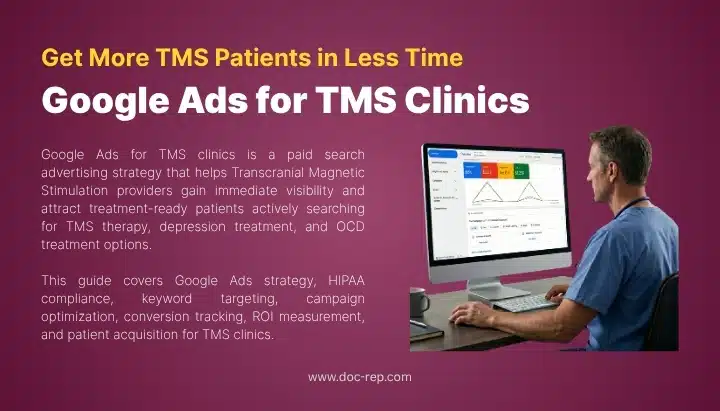
Google Ads can help doctors generate new patient appointments, but inefficient targeting, irrelevant clicks, and poorly optimized campaigns can quickly drive up advertising costs.
The goal isn’t simply to spend less. It’s to reduce wasted ad spend while getting more qualified patients from the budget you already have.
For medical practices, this means tightening keyword targeting, excluding irrelevant searches, improving ad and landing page relevance, and tracking which clicks actually lead to appointments.
When these elements work together, practices can reduce wasted spend without simply cutting their advertising budget.
Here are 7 practical tips doctors can use to reduce Google Ads costs, improve campaign efficiency, and generate more appointments from the same budget:
Tip 1: Cut Wasted Spend With a Medical Negative Keyword List
A negative keyword list blocks searches that can never turn into appointments. For most medical accounts, it is the fastest way to cut costs.
Start in your search terms report and read what people actually typed. Three types of searches waste budget in almost every practice account.
Career traffic comes first: salary, jobs, residency, and training program.
Research traffic comes next: ICD codes, CPT codes, definitions, and “what causes.”
Cost-sensitive searches come third: terms such as “free” and “cheap,” plus Medicaid searches when your practice does not accept Medicaid.
Block the conditions and procedures you do not treat. A dermatology group that performs no hair transplants should exclude that phrase. An orthopedic practice that refuses work injuries should exclude workers’ comp terms.
Build the list once, then reuse it. Google Ads allows 5,000 negative keywords per shared list, 20 lists per account, and one account-level list capped at 1,000 terms. A shared list applies to 1,000 campaigns at once, so one edit protects every service line.
Tip 2: Raise Ad Quality to Lower Your Cost Per Click
When the keyword, ad, and page match closely, you can often pay less per click. Your position in each auction is partly based on quality signals measured at that moment.
It is important to understand how this works. Google says Quality Score is a diagnostic tool and not an input in the auction. The 1 to 10 number compares you against advertisers who showed for the same search over the past 90 days. Ad Rank feeds the auction instead, using your bid, real-time ad and page quality, rank thresholds, auction competitiveness, and search context.
Write ads in patient language. Patients search “skin doctor near me” and “same day appointment,” not “board certified dermatologic surgery.” Put the service in the headline. Put location, insurance, and next open slot in the description.
Increase click-through rate without violating Google’s policies. Google’s misrepresentation rules bar guaranteed results and cure claims, so sell access instead of outcomes. “Appointments this week” can improve click-through rate without violating Google’s policies.
Then match the landing page: if the ad mentions knee pain, send users to the knee pain page, not the homepage.
Tip 3: Restructure Campaigns by Service Line
Separate campaigns give each service line control over its own budget. One budget shared across every procedure drifts toward whatever gets clicks first.
Give each service line its own campaign and daily budget. A gastroenterology practice running colonoscopy, reflux, and IBD together cannot control which one spends. Split them, and screening gets funded properly.
Split brand from non-brand next. Searches for your practice name convert well and cost little. When brand searches are mixed into a general campaign, they can hide what you’re actually paying to acquire new patients.
Then pick match types with intent in mind. Phrase and exact match keep you close to what patients typed. Broad match widens reach and needs a strong negative list behind it. Switching match types will not change Quality Score, which is built on exact-search history.
Tip 4: Tighten Location, Schedule, and Device Targeting
Three settings can waste budget on people outside your patient base. Fixing them takes minutes.
Location comes first. By default, Google reaches people in your target area and people who merely show interest in it. That serves ads to someone researching your city from another state. Switch to Presence, which limits delivery to people in or regularly in your area. Then set a radius that matches your real draw. Review the ZIP codes of last year’s new patients and target those areas instead of using a standard 25-mile radius.
Scheduling comes second. Calls that ring an empty front desk convert far worse than calls answered live. Set the ad schedule around staffed hours. One caution: with Target CPA, non-device bid adjustments are ignored on Search and Display. Schedule adjustments will not throttle spend, so restrict the hours themselves.
Device handling comes third. Most medical searches happen on phones, and those users call rather than fill out forms. When using Target CPA, device adjustments modify the target value rather than the bid itself.
Tip 5: Pick a Bidding Strategy That Fits Your Conversion Volume
Match the strategy to your data. Automated bidding can become less predictable when a campaign has very little conversion data.
Manual CPC still has a place. Enhanced CPC was retired for Search and Display in March 2025, so the choice now sits between Manual CPC, Maximize clicks, and Smart Bidding. Manual bidding suits a new campaign, a small budget, or unfinished conversion tracking.
Your conversion volume determines what comes next. Google says you can start Target CPA with no conversion history, but it recommends judging performance over 30 days with at least 30 conversions. Below that, run Maximize conversions and build data first. A clinic booking 12 patients a month lacks the signal for a target-based strategy.
Set the target based on what a new patient is actually worth to your practice. Start at or just above your actual cost per conversion, then lower it in small steps every two or three weeks. Setting the target too low can limit how often your ads are shown.
Two 2026 changes are worth paying attention to. Google renamed these strategies in June, so “Maximize conversions with a Target CPA” now reads as “Target CPA,” with no change in behavior. Google also began updating target-based bidding on August 17 for budget-limited campaigns, which may cause short-term swings.
Tip 6: Fix Landing Pages That Waste Paid Clicks
A weak page can turn a paid click into a wasted visit. A weak landing page can hurt both conversion performance and the quality signals used in the auction.
A page that converts answers five questions fast: what you treat, where you are, which insurance you take, when you are open, and how to book.
Keep the phone number visible at the top on mobile, and load fast.
Showing insurance and price details can reduce drop-off. Patients abandon pages that hide cost. List accepted plans by name and give a self-pay range where you can quote one honestly.
Booking forms and click-to-call serve different patients. Calls can be more effective for urgent needs and patients who prefer speaking with the office. Forms work better after hours and for elective consults. Run both, then let the data decide.
One warning: Google tracks clicks on a mobile phone number, not the calls themselves.
Tip 7: Make Conversion Tracking Accurate Before You Optimize
Bad tracking can make a good campaign look expensive. Track calls, forms, and booked appointments separately so you know which clicks actually produce patients.
For calls, use Google Ads call reporting and set a minimum call length that filters out missed or irrelevant calls. For forms, connect your CRM to Google Ads and import the patients who actually booked or showed up. This gives Google better data for optimization.
Medical practices also need to be careful with health-related tracking. Google restricts remarketing based on visits to condition or treatment pages, and Google states that Analytics tags should not be used on HIPAA-covered pages. Google Ads is also not listed as a BAA-covered service.
Finally, check for double-firing tags, missing call tracking, and conversion windows that are too short for your booking cycle.
Optimize for booked patients, not just clicks or leads.
What Should You Fix First?
Fix settings, then structure, then measurement. Early wins fund the slower work.
Quick Wins You Can Apply This Week
Pull 90 days of search terms and add negatives. Switch location targeting to Presence. Trim the ad schedule to staffed hours. Turn on call reporting with a sensible minimum call length. Pause keywords with high spend and no conversions in 90 days.
Structural Changes That Take 30 to 90 Days
Split campaigns by service line and separate brand from non-brand. Rewrite ads so each ad group speaks to one service. Rebuild the top three landing pages. Connect offline import so booked visits drive bidding.
| Fix | Effort | When cost data moves |
| Negative keyword list | Low | 3 to 7 days |
| Presence-only location | Low | 1 to 2 weeks |
| Ad copy matched to keywords | Medium | 2 to 4 weeks |
| Campaigns split by service | Medium | 4 to 6 weeks |
| Landing page rebuild | High | 4 to 8 weeks |
| Offline conversion import | High | 6 to 12 weeks |
How to Confirm Your Costs Are Actually Falling
Track cost per booked appointment, not cost per click. A falling CPC beside a rising cost per patient means you bought cheaper, worse traffic. Compare 30-day blocks rather than weeks, since medical booking cycles run long.
Final Words
Lower Google Ads costs come from removing waste, not from bidding less. Block searches that cannot convert, give each service its own budget, send clicks to a page that answers the question, and report back who actually booked. Start with the quick wins this week, then give the larger changes several months to take effect. Measure in booked appointments, and recheck settings every 30 days.
For practices that want help managing this process, Doc-Rep provides Google Ads services for doctors, with a focus on improving campaign efficiency, reducing wasted spend, and turning paid search traffic into qualified patient appointments.

Atiur Rahman
Medical & Healthcare SEO Expert focused on turning search visibility into booked patients and revenue. Specialties: technical SEO, schema and LLM visibility, AI SEO/GEO, and local search for clinics.